版本提示
本文记录的是 2025 年写作时的懒猫微服开发环境。
lzc-cli命令、lzc-build.yml/lzc-manifest.yml字段、基础镜像、OIDC 环境变量、路由方式和应用商店流程都可能随系统与 SDK 更新而变化。动手前请先对照当前官方开发文档,并以本机命令帮助、实际日志和最终生成的配置为准。
懒猫应用离不开社区的力量,有了各位社区贡献者的支持让懒猫商店的应用越来越丰富。下面示范如何把自己的全栈应用上架到懒猫微服。
官网给出的示例里只有 3 个必备文件:lzc-build.yml、lzc-icon.png、lzc-manifest.yml。
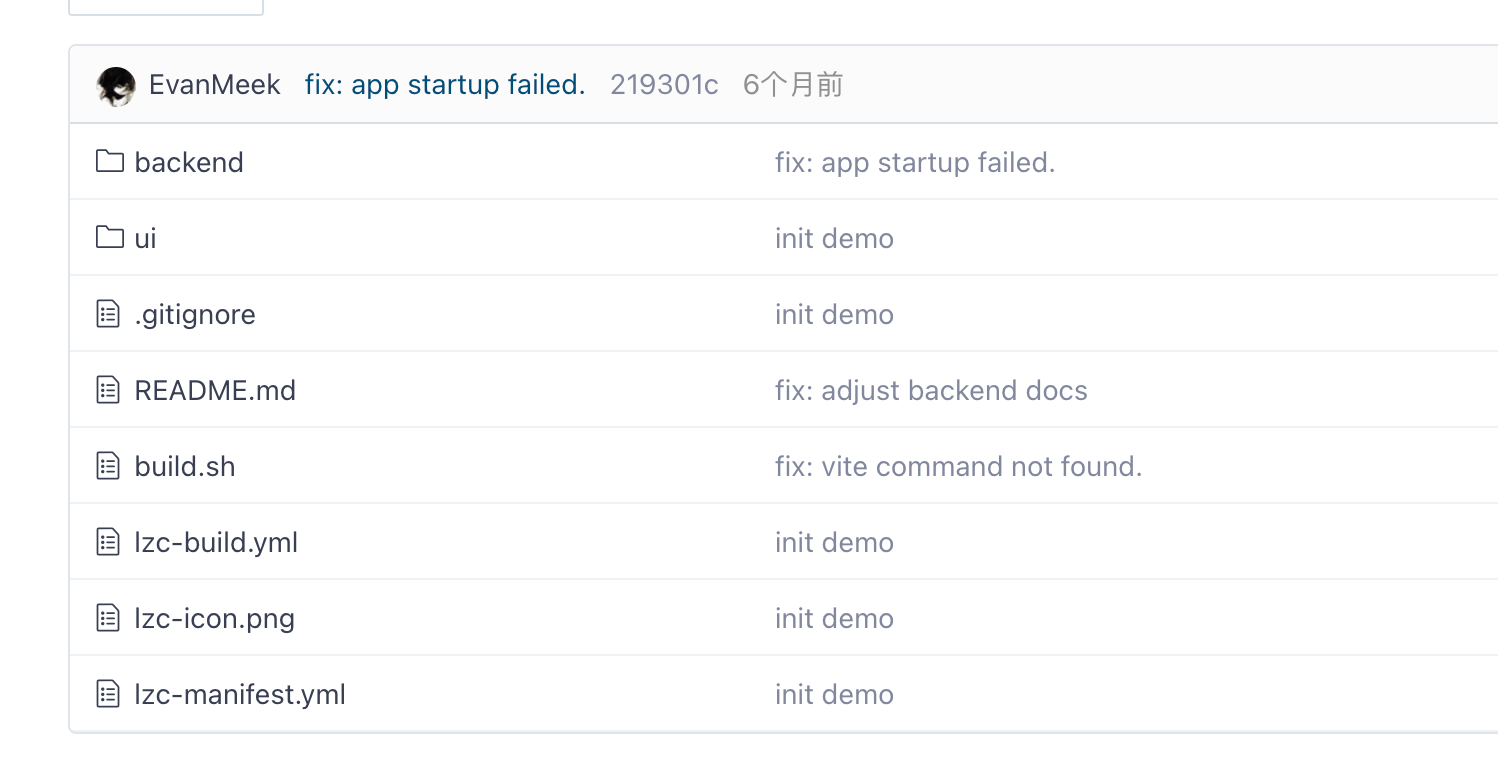
lzc-icon.png:应用图标,必须为 PNG。lzc-build.yml:定义打包脚本、输出路径与图标路径。lzc-manifest.yml:应用清单,描述路由规则等。
lzc-build.yml 示例
# 打包预处理,例子里是复制目录,打包前端文件
# 见build.sh这个文件
# rm -rf ./dist
# mkdir -p dist
# 构建后端二进制文件,因为后面写了contentdir是 dist 文件夹,
# 所以dist是打包的上下文
# cp -r backend dist/
# 构建前端,这里就是普通的前端打包命令,只是指定了输出文件夹
# cd ui && npx vite build --emptyOutDir --outDir ../dist/web
buildscript: sh build.sh

# manifest: 指定 lpk 包的 manifest.yml ,一般是这个名字不改
manifest: ./lzc-manifest.yml

# contentdir: 前面把前后端打包到这个目录还是。
contentdir: ./dist

# pkgout: lpk 包的输出路径
pkgout: ./

# icon 指定 lpk 包 icon 的路径路径,如果不指定将会警告
# icon 仅仅允许 png 后缀的文件
icon: ./lzc-icon.png

# dvshell 指定开发依赖的情况,这个我们后面专门来讲讲
# 这种情况下,选用 alpine:latest 作为基础镜像,在 dependencies 中添加所需要的开发依赖即可
# 如果 dependencies 和 build 同时存在,将会优先使用 dependencies
devshell:
  routes:
    - /=http://127.0.0.1:5173
  dependencies:
    - nodejs
    - npm
    - python3
    - py3-pip
  setupscript: |
    export npm_config_registry=https://registry.npmmirror.com
    export PIP_INDEX_URL=https://pypi.tuna.tsinghua.edu.cn/simple
build.sh 执行完后目录结构大致如下:
- dist/backend → 后端(可执行/脚本)
- dist/web → 前端(静态文件)
lzc-manifest.yml 示例
lzc-sdk-version: 0.1
name: 代办清单Py
package: cloud.lazycat.app.todolistpy
version: 0.0.1
description:
license: https://choosealicense.com/licenses/mit/
homepage:
author:
application:
  subdomain: todolistpy
  routes:
    - /=file:///lzcapp/pkg/content/web
    - /api/=exec://3000,./lzcapp/pkg/content/backend/run.sh
routes 这里有三种写法:
- file 代表文件,一般是纯静态文件,比如打包后的前端文件,也就是在 build.sh 里面做的打包前端的操作,npm build 之类的,我们在脚本里指定了 content 的路径就是机器上的/lzcapp/pkg/content/,所以/lzcapp/pkg/content/web 也就是刚才的 dist/web。这个的意思就是说把根路由转发这个静态目录,其实就是类似 Nginx 托管静态文件这个样子,只是不需要手动打包,写好命令之后,打包工具帮忙做了这一套。
http(s)://$hostname/$path, 这个是我们印象里的网关代理后端服务,比如/api/=http(s)😕/$hostname/$path,其实就类似 Nginx 的 proxy_pass 将/api 转发到 http(s)😕/$hostname/$path/。- exec:这个和 http(s)很像,后面多加了一个 run.sh,相当于在转发到 http(s)路由之前,先执行这个脚本。一般是用来预置环境,比如 pip install 什么的,但是由于每个人的环境不一样,还是要使用多个镜像源才保险,我上架的应用就遇到用户通过清华源下载报错 HTTP403 以及 腾讯源下载签名不匹配的问题,或者干脆使用 Docker,这个我们后面再说。
附上 pip 多源的例子:
# 已有 —— 主索引 & 前两级备用
pip config set  global.index-url        https://pypi.tuna.tsinghua.edu.cn/simple
pip config --add global.extra-index-url https://pypi.mirrors.ustc.edu.cn/simple/
pip config --add global.extra-index-url https://mirrors.bfsu.edu.cn/pypi/web/simple/

# ③ 阿里云(华东节点评测最稳)
pip config --add global.extra-index-url https://mirrors.aliyun.com/pypi/simple/

# ④ 华为云(华南线路友好)
pip config --add global.extra-index-url https://repo.huaweicloud.com/repository/pypi/simple/

# ⑤ 字节跳动开源镜像(火山引擎,带全站 CDN)
pip config --add global.extra-index-url https://mirrors.byteimg.com/pypi/simple/

# ⑥ 南京大学镜像(NJU,教育网 & 华东建议保留)
pip config --add global.extra-index-url https://mirrors.nju.edu.cn/pypi/web/simple/
打包与安装
# 打包成 LPK
lzc-cli project build -o release.lpk

# 在线安装 LPK
lzc-cli app install release.lpk
然后是打包,如果缺少 lzc-build.yml,lzc-icon.png,lzc-manifest.yml 三者之一就会报错。
LPK 是懒猫微服应用商店 APP 的安装包格式,其实可以理解为一个配置文件的压缩包,安装之后其实就是在微服内部启动了一个 alpine 的 image,然后通过 build.sh 安装依赖。
通过 lzc-docker 来看,直接打包的就是这个 images registry.lazycat.cloud/lzc/lzcapp:3.20.3
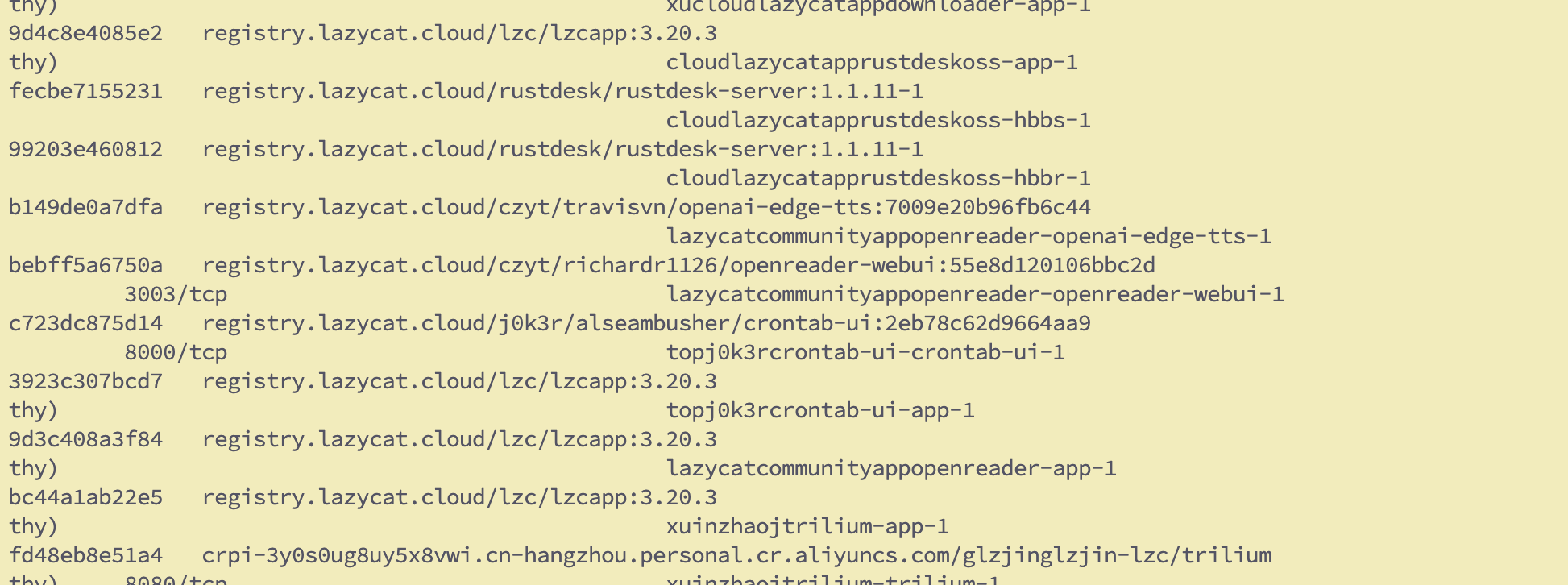
命令如下lzc-docker history --no-trunc registry.lazycat.cloud/lzc/lzcapp:3.20.3,能够看到是 Alpine 作为 base image,然后更换中科大的源,以及安装 gcompat 以兼容 glibc 程序。
(base) lzcbox-029c588e ~ # lzc-docker history --no-trunc registry.lazycat.cloud/lzc/lzcapp:3.20.3
IMAGE                                                                     CREATED        CREATED BY                                                                                                SIZE      COMMENT
sha256:ba7a533c869a26d89e83bdc5ddb978df5a3502ac91452422a649d0d3cf52190b   7 months ago   RUN /bin/sh -c apk add gcompat # buildkit                                                                 2.48MB    buildkit.dockerfile.v0
<missing>                                                                 7 months ago   RUN /bin/sh -c sed -i 's/dl-cdn.alpinelinux.org/mirrors.ustc.edu.cn/g' /etc/apk/repositories # buildkit   97B       buildkit.dockerfile.v0
<missing>                                                                 9 months ago   CMD ["/bin/sh"]                                                                                           0B        buildkit.dockerfile.v0
<missing>                                                                 9 months ago   ADD alpine-minirootfs-3.20.3-x86_64.tar.gz / # buildkit                                                   7.8MB     buildkit.dockerfile.v0
(base) lzcbox-029c588e ~ #
甚至可以看到,这个 image 是连 bash 以及各种开发运行时都没有的。
(base) lzcbox-029c588e ~ # lzc-docker run -it registry.lazycat.cloud/lzc/lzcapp:3.20.3 bash
docker: Error response from daemon: failed to create task for container: failed to create shim task: OCI runtime create failed: runc create failed: unable to start container process: error during container init: exec: "bash": executable file not found in $PATH: unknown.
(base) lzcbox-029c588e ~ # lzc-docker run -it registry.lazycat.cloud/lzc/lzcapp:3.20.3 sh
/ # go
sh: go: not found
/ # npm
sh: npm: not found
/ # pip
sh: pip: not found
/ # python
sh: python: not found
/ #
所以这个 backend 文件夹的 run.sh 是拿来安装 Python 依赖的。而前端是使用本地的 npm 打包的。
#!/bin/sh

# 切换到当前目录
cd "$(dirname "$0")"
sed -i 's/dl-cdn.alpinelinux.org/mirrors.ustc.edu.cn/g' /etc/apk/repositories
apk update
apk add python3 py3-pip
# ❶ 设主索引,只能有一个
# 已有 —— 主索引 & 前两级备用
pip config set  global.index-url        https://pypi.tuna.tsinghua.edu.cn/simple
pip config --add global.extra-index-url https://pypi.mirrors.ustc.edu.cn/simple/
pip config --add global.extra-index-url https://mirrors.bfsu.edu.cn/pypi/web/simple/

# ③ 阿里云(华东节点评测最稳)
pip config --add global.extra-index-url https://mirrors.aliyun.com/pypi/simple/

# ④ 华为云(华南线路友好)
pip config --add global.extra-index-url https://repo.huaweicloud.com/repository/pypi/simple/

# ⑤ 字节跳动开源镜像(火山引擎,带全站 CDN)
pip config --add global.extra-index-url https://mirrors.byteimg.com/pypi/simple/

# ⑥ 南京大学镜像(NJU,教育网 & 华东建议保留)
pip config --add global.extra-index-url https://mirrors.nju.edu.cn/pypi/web/simple/


pip install -r ./requirements.txt --break-system-packages
python3 app.py
安装之后的 app 可以通过 lzc-docker 查看,也可以使用 Dozze 查看日志,一般 debug 时候的时候会看这个。
DOZZL 需要安装开发者工具,然后使用https://dev.设备名.heiyu.space/dozzle/访问。
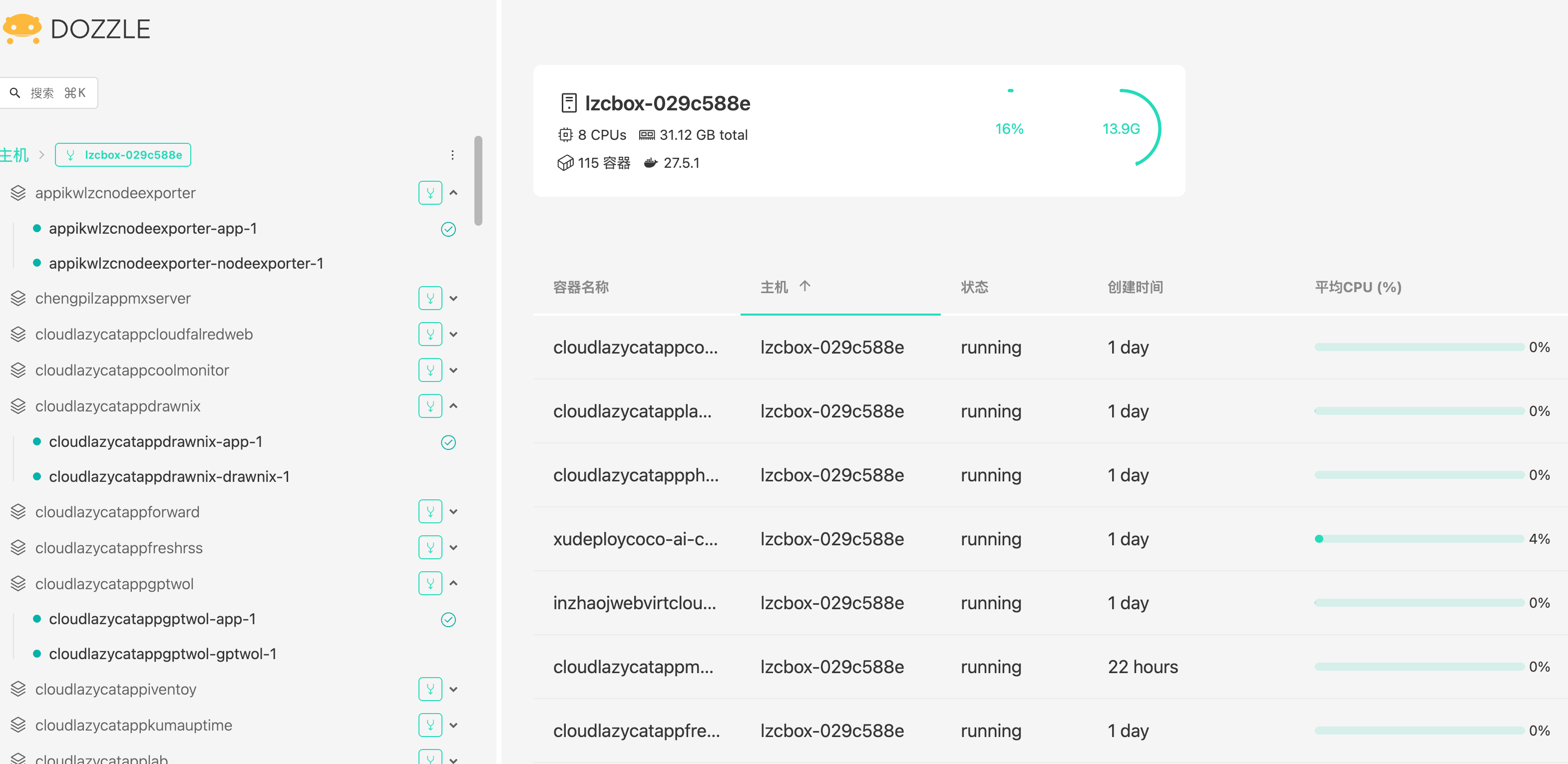
一般来说部署有两个 pod,一个是 App-1 结尾的,主要是涉及到转发,run.sh 自动安装依赖,以及健康检查。
PATH:"/" is served by "file"://"/lzcapp/pkg/content/dist"
PATH:"/api/" is served by "http"://"host.lzcapp:53443"
health check finished
应用名字-1 结尾的,这个才是应用的日志。
[2025-06-29 17:29:29 +0800] [1] [INFO] Starting gunicorn 23.0.0
[2025-06-29 17:29:29 +0800] [1] [INFO] Listening at: http://0.0.0.0:9527 (1)
[2025-06-29 17:29:29 +0800] [1] [INFO] Using worker: sync
[2025-06-29 17:29:29 +0800] [9] [INFO] Booting worker with pid: 9
希望大家都能够多多为懒猫微服贡献应用。

扫码关注「忘机山人」